Download trev.bot flash
Install it on the computer your drive is connected to.
Windows
Suggested for this computer
- Package
- Signed installer (.exe)
- Architecture
- 64-bit (x86-64)
- Requirements
- 64-bit Windows. Installs for your user account.
- Released
macOS
Suggested for this computer
- Package
- Signed and notarized disk image (.dmg)
- Architecture
- Apple silicon (arm64)
- Requirements
- macOS 12 or later.
- Released
Download for macOS · Apple silicon
- Package
- Signed and notarized disk image (.dmg)
- Architecture
- Intel (x86-64)
- Requirements
- macOS 12 or later.
- Released
Linux
Suggested for this computer
- Package
- Debian package (.deb)
- Architecture
- 64-bit (x86-64)
- Requirements
- Ubuntu 24.04 or a compatible Linux distribution.
- Released
Download Debian package (.deb)
- Package
- RPM package (.rpm)
- Architecture
- 64-bit (x86-64)
- Requirements
- Fedora 44 or a compatible Linux distribution.
- Released
On a phone?
trev.bot flash runs on a computer. Open trev.bot/download there.
What you need
- An LG or Pioneer drive, connected by USB or SATA, with no disc inside.
- An internet connection, for firmware downloads and the app’s online checks.
- For paid flashing, activate trev.bot flash after checking your drive. See pricing.
After installing
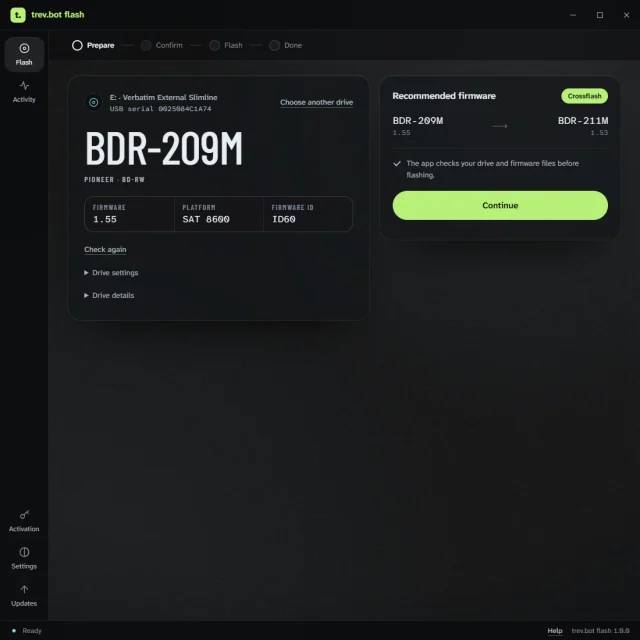
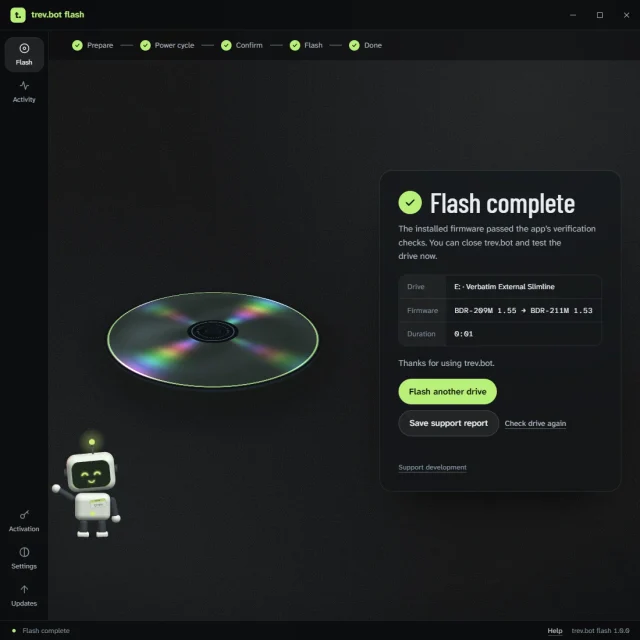
Open the app, choose your drive and run the check. It tells you whether a flash is available for your exact model and firmware. See how it works.
Windows can install updates through the app after activation. On macOS and Linux, install the latest package from this page. What’s new lists every release.